Self-hosting
A step-by-step guide to running the whole Warmbly platform yourself, from one Docker command to a distributed worker fleet.
Warmbly self-hosts with no cloud account of any kind: no AWS, no GCP, no Stripe, no Kafka. One docker-compose.yml runs everything on local, open-source pieces, and every external dependency is an environment variable you can flip later.
Using Coolify? Follow Deploy on Coolify for an image-only Compose stack, exact domain/port mappings, and setup without running an installer on the host.
Just want it running?
curl -fsSL https://warmbly.com/install.sh | shThat pulls the published release images and skips everything on this page: no clone, no compiler, under two minutes. Add --wizard and it asks where your data lives, what is kept and for how long, and how it is backed up. See Install.
This page is the build-from-source path, and the reference for every setting either path writes. Take it when you want to run modified code, a platform we publish no image for, or a build you produced yourself.
Three commands give you a working install. Everything after them is optional, and nothing below is needed before you have seen it running.
Before you start
| You need | Why |
|---|---|
| Docker 20.10+ with Compose v2 | Everything runs as containers |
| Git | To clone the repository |
| ~10 GB free disk | The first build produces about 3.7 GB of images plus 2.5 GB of build cache |
| 4 GB RAM | The running stack idles near 300 MB; the first build is the demanding part |
| Free ports | 5173, 5174, 8080, 4000, 3000, 4222, 8222, 15432, 16379 |
3000 is worth checking before you start: it is the default for a lot of other self-hosted software, and a collision there stops the tracking service from publishing. Set TRACKING_PORT to move the host side and point your reverse proxy at the new port.
The first build compiles Go, Rust, and Elixir services and builds two frontends. On a modern laptop that takes about 6 minutes. Later builds reuse the cache and are much faster.
That is the whole list. No SMTP relay, no captcha keys, no cloud account, and no .env to write before the first run.
Two things come from outside Warmbly, and both can wait until after you have it running:
- An SMTP relay for password resets, invitations and digests. Without one those messages go to the backend logs, and signing in never needs them. See platform email.
- OAuth clients if you want to connect Gmail, Google Workspace or Microsoft 365 mailboxes. Plain SMTP and IMAP mailboxes need nothing. See connect mailboxes.
All configuration lives in a single .env at the repository root, covered in environment configuration with a complete example.
Do not run the build on a nearly full disk
Building seven images at once is the single most common way a first install fails. If Docker runs out of space mid-build you get a confusing no space left on device from whichever service happened to be compiling. See troubleshooting.
Install it
Get the code
git clone https://github.com/warmbly/warmbly && cd warmblyStart it
make upThat is docker compose -p warmbly up -d --build. It builds the images and starts ten containers in the background, then waits for the backend and prints the link that claims your instance. The first run is the slow one.
Only what a running install needs is started. The mail catcher and the local IMAP server belong to the demo environment and stay out of the way until you ask for them with make sandbox.
Claim it
make up prints a one-time link when it finishes. Open it, pick a password, and you are the owner and platform admin of the instance. make claim prints it again.
Two things you get for free at this point: the dashboard at http://localhost:5173, and the admin panel at http://localhost:5174 with the same account, because the owner is already an admin. Signing in never depends on mail: the emailed login code is off on a self-hosted install.
No link, or the link is gone?
An instance whose database already has accounts is already claimed, so no link is issued. That is the usual outcome when a previous make dev seeded the same database. First run covers reissuing the link, provisioning the owner unattended, and what to do when accounts already exist.
Load demo data (optional)
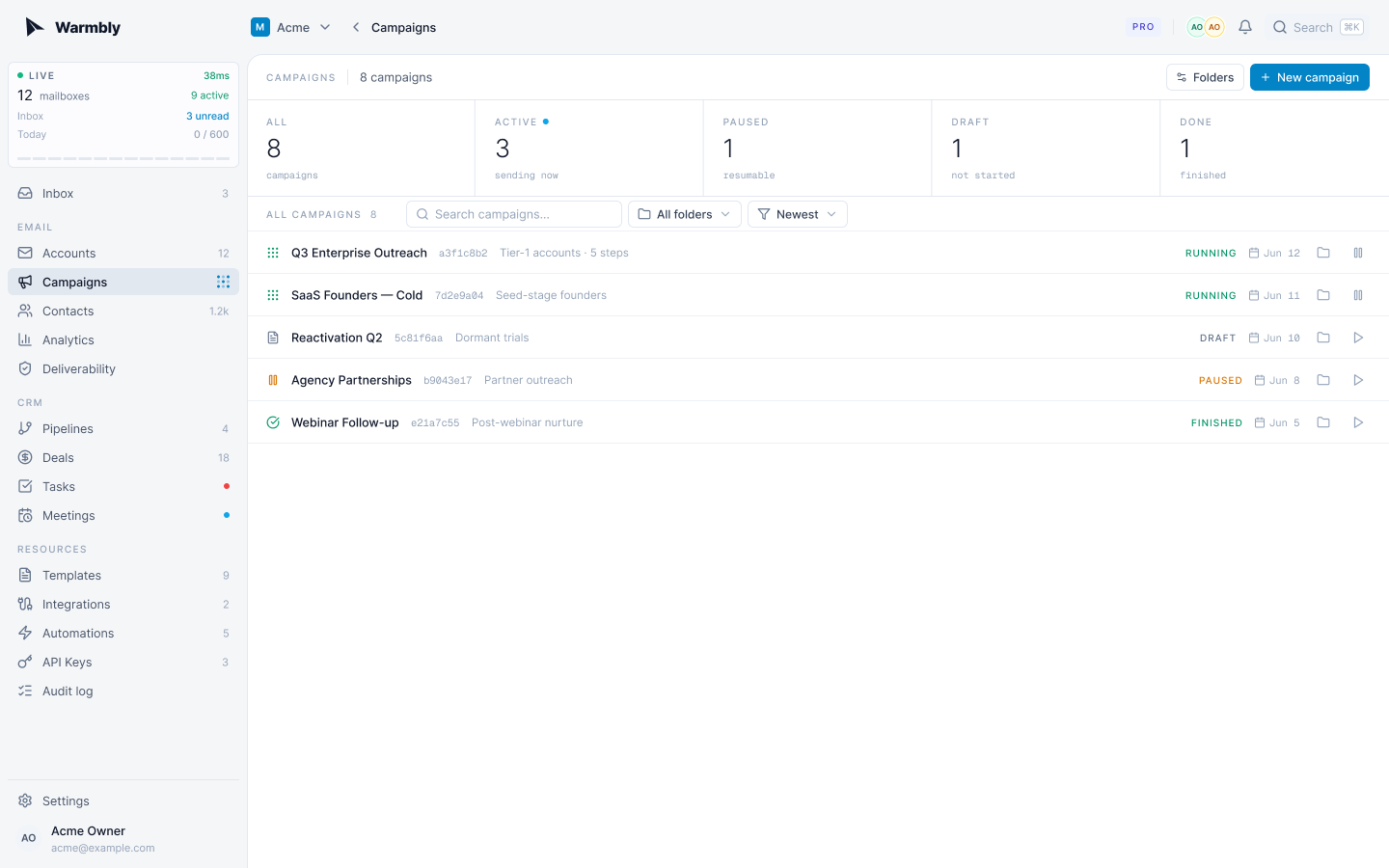
To explore a populated workspace instead of an empty one:
make seed-demoThat creates dev@warmbly.com / password123 along with mailboxes, campaigns, contacts, and two weeks of history. It builds the seed image each time on purpose: compose run otherwise reuses a stale one, which fails against a newer database schema.
The demo seed plants a published super-admin credential
It also inserts admin@warmbly.local with a published password, every platform admin permission, and a full-access API key whose secret is a constant in this repository. Never run it on an instance anyone else can reach. Detail in first run.
For a demo where mail actually flows end to end, with sends, replies, opens, and clicks, see the sandbox.
Before you expose it
Everything above works with zero configuration because the compose file ships working defaults for every secret. Those defaults are published in this repository, so they protect nothing. Once APP_ENV is anything other than dev the backend refuses to start on them, naming each one and telling you that ALLOW_INSECURE_DEFAULTS=true is the override you should not be using.
Before anyone else can reach the instance, generate real values into a .env next to docker-compose.yml:
cat > .env <<EOF
APP_ENV=prod
AUTH_SECRET=$(openssl rand -base64 32)
INTERNAL_API_TOKEN=$(openssl rand -hex 24)
SECRET_KEY_BASE=$(openssl rand -base64 64 | tr -d '\n')
KMS_LOCAL_MASTER_KEY=$(openssl rand -base64 32)
CREDENTIALS_ENCRYPTION_KEY=$(openssl rand -hex 32)
EOF| Variable | Format | What it protects |
|---|---|---|
AUTH_SECRET | 32+ chars | JWT signing. The realtime service reads the same value as JWT_SECRET, and compose wires that for you |
INTERNAL_API_TOKEN | any random string | The backend's internal API, which workers and the tracking service authenticate against |
SECRET_KEY_BASE | 64+ chars | Phoenix session signing in the realtime service |
KMS_LOCAL_MASTER_KEY | base64, exactly 32 bytes | The root key that seals every per-organization data key |
CREDENTIALS_ENCRYPTION_KEY | exactly 64 hex chars | Mailbox credentials at rest: SMTP and IMAP passwords, and Gmail and Outlook OAuth access and refresh tokens |
APP_ENV=prod requires no cloud account. Error reporting and GeoIP lookups are used when configured and skipped with a logged note when they are not.
Back up the last two keys before you store a single mailbox
KMS_LOCAL_MASTER_KEY and CREDENTIALS_ENCRYPTION_KEY seal every stored credential. Losing them is unrecoverable, and a database backup without them cannot be decrypted.
Rotating the secrets means recreating the containers, which make up does. Changing the two encryption keys after mailboxes exist does not: those credentials were sealed with the old values.
Checking the stack
make statusbackend, forms, postgres, redis and nats report (healthy). The backend applies its migrations on boot, so it takes a few seconds longer than the rest. realtime and tracking have no healthcheck and show as running.
Each entry point answers on its own port:
curl -s -o /dev/null -w '%{http_code}\n' http://localhost:8080/health   # backend
curl -s -o /dev/null -w '%{http_code}\n' http://localhost:3000/health   # tracking
curl -s -o /dev/null -w '%{http_code}\n' http://localhost:8090/health   # forms
curl -s -o /dev/null -w '%{http_code}\n' http://localhost:4000/health   # realtime
curl -s -o /dev/null -w '%{http_code}\n' http://localhost:5173          # dashboard
If one does not print 200, make logs backend (or the service in question) will say why, and troubleshooting covers the usual causes.
The admin panel's Instance > Setup and health > Services tab shows the same probes plus the platform mail transport, with a live connection check and a send-test button.
What is running
| Service | Port | Purpose |
|---|---|---|
| web / admin | 5173 / 5174 | Dashboard and admin panel (static nginx builds, URLs injected at container start) |
| backend | 8080 | REST API; applies migrations on every boot; GET /health |
| tracking | 3000 | Open pixels and click redirects; GET /health |
| forms | 8090 | Hosted form pages, embeds and public submissions; GET /health |
| realtime | 4000 | WebSocket fanout; GET /health |
| consumer / worker | none | Event processor; send and sync executor |
| postgres / redis | 15432 / 16379 | PostgreSQL 16; cache and realtime bridge |
| nats | 4222 (monitoring 8222) | Event bus (JetStream) |
| mailpit | 18025 (SMTP 11025), bound to localhost | Not started by make up. An SMTP sink for the demo environment, in the sandbox profile. Its UI has no authentication, so it is never published to the network |
Eleven containers, idling near 300 MB in total. Nothing that only the demo environment needs is started: the mail catcher and the local IMAP server sit in the sandbox profile and come up only when make sandbox, make dev or make infra name them.
There is no separate migration step. Migrations are embedded in the backend binary, and a standalone /app/migrate binary ships in the image as well.
Environment configuration
Everything is configured by environment variable. With compose, put your values in the .env next to docker-compose.yml and they reach the right services automatically; compose fans a shared block out to backend, consumer, and worker, and maps the handful of names the realtime and tracking services use.
Nothing below is required to start. The compose defaults boot a working stack, and each section here is what you change to move past "works on my machine."
Values that must agree across services
These are the ones that break things quietly when they drift, because each service reads its own copy. Compose keeps them in sync for you; a hand-rolled deployment must do it deliberately.
| Value | Read by | If it drifts |
|---|---|---|
AUTH_SECRET, seen by realtime as JWT_SECRET | backend, realtime | The dashboard loads but never goes live: the websocket rejects every token |
INTERNAL_API_TOKEN, seen by workers as ENCRYPTED_KEYS_WORKER_TOKEN unless NODE_BROKER_TOKEN is set | backend, worker, tracking, forms | Workers cannot fetch decryption keys and tracking cannot resolve click tickets. Both fail closed with 401 |
KMS_LOCAL_MASTER_KEY | backend, consumer, worker | Sealed data keys cannot be opened. Mailbox credentials stop decrypting |
CREDENTIALS_ENCRYPTION_KEY | backend, worker | Stored SMTP and IMAP passwords and OAuth tokens stop decrypting, so no mailbox can send or sync |
EVENTBUS_PROVIDER and NATS_URL | every service | Producers and consumers land on different buses and work silently disappears |
CODEC_PROVIDER | every service | Events are written in one format and read in another |
PUBSUB_ENABLED | backend, consumer, realtime | Realtime events are published to a transport nobody is listening on |
What each service needs
| Service | Needs |
|---|---|
| backend | Everything: the five secrets, PRIMARY_DB, REDIS, the provider switches, and the public URLs |
| consumer | The same shared block as the backend. It writes to Postgres, so it needs PRIMARY_DB and the encryption keys |
| worker | No database. It needs the event bus, REDIS, the encryption keys, ENCRYPTED_KEYS_BACKEND_URL plus the internal token, and the BOX_* OAuth clients |
| tracking | The event bus, BACKEND_INTERNAL_URL, and INTERNAL_API_TOKEN |
| forms | No database and no event bus: only BACKEND_INTERNAL_URL and INTERNAL_API_TOKEN |
| realtime | JWT_SECRET, SECRET_KEY_BASE, DATABASE_URL, REDIS_URL, PHX_HOST |
| web / admin | Only WARMBLY_* URLs, read at container start and written into /config.js. The same image runs anywhere |
APP_ENV accepts dev or prod. No other value turns on production behavior. prod needs no cloud account: error tracking stays optional in every environment, and GEODB_PATH must be set on the backend everywhere while the file it points at is optional (the consumer reads it too, optionally, for the location on opens and clicks).
The complete list of variables, with defaults and whether a change needs a restart, is the configuration reference.
A complete .env
Everything a real deployment usually sets, in one file. Delete any line to fall back to its default.
# ── Where it lives ────────────────────────────────────────────────
PUBLIC_HOST=warmbly.example.com          # or set the four URLs below explicitly
# APP_URL=https://app.example.com
# API_PUBLIC_URL=https://api.example.com
# CORS_ALLOW_ORIGINS=https://app.example.com,https://admin.example.com
# WEBSOCKET_URL=wss://ws.example.com/socket/websocket
# PHX_HOST=ws.example.com
# CHECK_ORIGIN=true
# TRACKING_DOMAIN=t.example.com

# ── Secrets (generate your own) ───────────────────────────────────
AUTH_SECRET=replace-me-32-chars-minimum
INTERNAL_API_TOKEN=replace-me
SECRET_KEY_BASE=replace-me-64-chars-minimum
KMS_LOCAL_MASTER_KEY=replace-me-base64-32-bytes
CREDENTIALS_ENCRYPTION_KEY=replace-me-exactly-64-hex-chars

# ── Connecting mailboxes ──────────────────────────────────────────
BOX_GOOGLE_CLIENT_ID=
BOX_GOOGLE_CLIENT_SECRET=
BOX_OUTLOOK_CLIENT_ID=
BOX_OUTLOOK_CLIENT_SECRET=

# ── Platform email (resets, invitations, digests) ─────────────────
# log writes messages to the backend logs and delivers nothing. Switch to
# smtp before anyone else relies on this instance.
MAIL_TRANSPORT=smtp
SMTP_HOST=smtp.example.com
SMTP_USERNAME=
SMTP_PASSWORD=
SMTP_SECURITY=starttls               # starttls (587) | tls (465) | none (25)
EMAIL_NAME=Warmbly
EMAIL_ADDRESS=noreply@example.com

# ── Auth ──────────────────────────────────────────────────────────
DEPLOYMENT_MODE=self_hosted
# AUTH_LOGIN_CODE=off                # always | new_device | off
# DISABLE_REGISTRATION=invite_only   # true | false | invite_only
# TRUSTED_PROXIES=10.0.0.0/8         # required when a reverse proxy is in front

# First owner, read only while the users table is empty. Omit and the backend
# prints a single-use setup link to its logs.
# WARMBLY_BOOTSTRAP_EMAIL=you@example.com
# WARMBLY_BOOTSTRAP_PASSWORD_HASH=

# ── Optional: single sign-on ──────────────────────────────────────
# OIDC_ISSUER_URL=https://id.example.com/application/o/warmbly/
# OIDC_CLIENT_ID=
# OIDC_CLIENT_SECRET=
# OIDC_DEFAULT_ORG=<organization uuid>

# ── Optional: AI assistant ────────────────────────────────────────
# AI_PROVIDER=openai
# AI_API_KEY=sk-...
# AI_MODEL=

# ── Optional: sign in with Google / Apple ─────────────────────────
# GOOGLE_CLIENT_ID=
# GOOGLE_CLIENT_SECRET=
# GOOGLE_REDIRECT_URI=

# ── Optional: captcha, billing, error tracking ────────────────────
# CAPTCHA_PROVIDER=turnstile
# TURNSTILE_SECRET=
# WARMBLY_TURNSTILE_KEY=            # the site key, used by web + admin
# BILLING_PROVIDER=stripe
# STRIPE_SECRET_KEY=
# STRIPE_WEBHOOK_SECRET=
# STRIPE_PUBLISHABLE_KEY=
# POSTHOG_KEY=                      # error tracking, and server-side product events
# POSTHOG_HOST=                     # empty means PostHog Cloud US
# POSTHOG_ERROR_TRACKING=true       # false keeps the key for analytics only
# WARMBLY_POSTHOG_KEY=              # the browser half, used by web + admin + form pages
# WARMBLY_POSTHOG_SESSION_REPLAY=true # false keeps the key and records no sessions
# SENTRY_DSN=                       # the other backend, alongside PostHog or instead
# WARMBLY_SENTRY_DSN=

# ── Optional: swap infrastructure ─────────────────────────────────
# BLOB_PROVIDER=s3
# BLOB_BUCKET=warmbly
# AWS_ENDPOINT_URL_S3=https://s3.example.com
# AWS_REGION=us-east-1
# AWS_ACCESS_KEY_ID=
# AWS_SECRET_ACCESS_KEY=
# KMS_PROVIDER=aws
# KMS_AWS_KEY_ID=alias/warmbly
# EVENTBUS_PROVIDER=kafka           # needs the -kafka images (see below)
# KAFKA_BOOTSTRAP_SERVERS=broker:9092
# PRIMARY_DB=postgres://user:pass@host:5432/warmbly?sslmode=require
# REDIS=redis://host:6379

# ── Production ────────────────────────────────────────────────────
# APP_ENV=prod                      # refuses the published default secrets
The template to copy for a Compose install is .env.example at the repository root: cp .env.example .env boots as-is, and every line it ships commented out is commented out on purpose. deploy/config/env.example is the Kubernetes and bare-binary variant, where nothing substitutes a default for you. The exhaustive per-variable reference, with defaults and restart requirements, is the configuration reference.
Reaching it from your network
Set one variable in .env and every URL (app, CORS, websocket, tracking, blobs, frontend config) derives from it:
PUBLIC_HOST=192.168.1.50 # your machine's LAN IP, or a domainRecreate the containers with make up and open http://192.168.1.50:5173.
Once PUBLIC_HOST is set, every derived URL uses it and http://localhost:5173 stops working: the browser sends a localhost origin, which is no longer in CORS_ALLOW_ORIGINS, so the API answers 403. Use the address you configured. To keep both, list them yourself:
CORS_ALLOW_ORIGINS=http://192.168.1.50:5173,http://192.168.1.50:5174,http://localhost:5173,http://localhost:5174Behind a reverse proxy with HTTPS
Compose only derives plain http:// URLs from PUBLIC_HOST, so terminate TLS in a proxy (Caddy, nginx, Traefik) and set each URL explicitly instead:
APP_URL=https://app.example.com                       # proxy to :5173
API_PUBLIC_URL=https://api.example.com                # proxy to :8080
CORS_ALLOW_ORIGINS=https://app.example.com,https://admin.example.com
WEBSOCKET_URL=wss://ws.example.com/socket/websocket   # proxy to :4000
TRACKING_DOMAIN=t.example.com                         # proxy to :3000; separate, neutral domain, and the CNAME customers point at
PHX_HOST=ws.example.com
Give the admin panel its own host proxied to :5174, and list it in CORS_ALLOW_ORIGINS as above. It reads its API base from API_PUBLIC_URL, so it needs nothing else.
Every origin that talks to the API has to appear in CORS_ALLOW_ORIGINS. Anything not listed is answered with 403 on preflight, which in a browser looks like the app loading and then every request failing.
Make sure the proxy serves the websocket host over HTTP/1.1. The upgrade handshake cannot be expressed in HTTP/2, so a proxy that forces h2 to the client on that hostname breaks realtime while leaving everything else working.
Platform email
The platform's own mail is registration codes, password resets, team invitations, notification digests, and login codes where those are enabled. It is separate from campaign mail, which goes out through the mailboxes you connect.
MAIL_TRANSPORT selects how it is sent.
| Transport | What it does |
|---|---|
log | Writes every message to the backend logs and delivers nothing. Outside APP_ENV=dev the query strings of links are redacted, so reset and invitation links are not readable there. The compose default, so a fresh install works before you have a relay. A bare binary with neither MAIL_TRANSPORT nor SMTP_HOST falls back to ses instead |
smtp | A real submission relay |
ses | AWS SES; needs AWS credentials and a verified sending identity |
The default is deliberate. Nothing about signing in requires mail on a self-hosted install, so an unconfigured relay costs you password resets and invitations, not access. Read a code out of the logs with:
docker compose -p warmbly logs backend | grep -B2 -A12 "MAIL_TRANSPORT=log"Using a real relay
MAIL_TRANSPORT=smtp
SMTP_HOST=smtp.example.com
SMTP_USERNAME=apikey
SMTP_PASSWORD=...
EMAIL_NAME=Warmbly
EMAIL_ADDRESS=noreply@example.com
SMTP_SECURITY picks the transport security, and the port follows from it:
SMTP_SECURITY | Port | When |
|---|---|---|
starttls | 587 | The default, and what almost every provider wants |
tls | 465 | Implicit TLS |
none | 25 | Cleartext. Only legitimate for a sink or a relay on the same host |
Set either the security mode or the port and the other follows, so SMTP_PORT=465 alone is enough.
Credentials are never sent over an unencrypted connection. If the relay does not offer STARTTLS and you have set a username, the send fails rather than transmitting the password in the clear. SMTP_AUTH defaults to auto, which picks the strongest mechanism the relay advertises; set it explicitly to plain, login or cram-md5 if you need to pin one. SMTP_TLS_INSECURE_SKIP_VERIFY=true exists for an internal relay with a private CA and should not be used with a public provider.
Checking it works
The backend dials the relay once at boot and logs the result, so a broken configuration shows up in docker compose logs backend rather than as a failed password reset weeks later.
The admin panel's Instance > Setup and health > Services tab has a Platform mail card with the current transport, a live connection check that shows the SMTP error verbatim, and a send-test button.
Deliverability
Mail from a self-hosted instance is subject to the same rules as any other sender. Publish SPF and DKIM for the domain in EMAIL_ADDRESS, and use a domain you control: a From address on a domain with no records is the most common reason reset links land in spam.
Branding
Transactional email carries Warmbly's name and legal footer by default. Override it with the EMAIL_BRAND_* variables, which is worth doing on an instance your own users receive mail from:
EMAIL_BRAND_NAME=Acme
EMAIL_BRAND_LEGAL_ENTITY=Acme Ltd
EMAIL_BRAND_WEBSITE_URL=https://acme.example.com
EMAIL_BRAND_SUPPORT_EMAIL=support@acme.example.com
Every emailed link (password reset, invitation, the dashboard button in the welcome mail) is built from APP_URL. Set it, or those links point somewhere that is not your deployment.
Connect mailboxes
This is the first thing you will actually want to do after installing, and the only part that needs credentials from outside Warmbly.
There are several ways to attach a sending mailbox. Only the OAuth and whole-domain ones need setup.
| Mailbox type | Setup needed | Variables |
|---|---|---|
| Any SMTP + IMAP provider | None | none |
| Gmail / Google Workspace | None with an app password (the default). A Google Cloud OAuth client to offer per-mailbox Google sign-in, which is being retired | BOX_GOOGLE_OAUTH_CONNECT, BOX_GOOGLE_CLIENT_ID, BOX_GOOGLE_CLIENT_SECRET |
| Outlook / Microsoft 365 | An Entra ID app registration | BOX_OUTLOOK_CLIENT_ID, BOX_OUTLOOK_CLIENT_SECRET |
| A whole Google Workspace domain or Microsoft 365 organization | A Google Cloud service account for Google; the Outlook app above, with three application permissions, for Microsoft. See whole-domain mailbox connects | GOOGLE_WORKSPACE_DELEGATION_KEY_FILE (or GOOGLE_WORKSPACE_DELEGATION_KEY), BOX_OUTLOOK_CLIENT_ID, BOX_OUTLOOK_CLIENT_SECRET |
These are not the sign-in variables
BOX_GOOGLE_* connects mailboxes you send from. GOOGLE_CLIENT_ID / GOOGLE_CLIENT_SECRET (no BOX_ prefix) are a different thing entirely: they enable "Sign in with Google" for logging into Warmbly. You can set either, both, or neither, and one never substitutes for the other. The one overlap: a Google Workspace administrator proving a domain for a whole-domain connect signs in through the GOOGLE_CLIENT_ID client when it is set, and through the BOX_GOOGLE_* client otherwise.
SMTP and IMAP
Nothing to configure. Add the mailbox in the dashboard with its host, port, username, and password. SMTP must be port 587 or 465; IMAP is typically 993.
Gmail and Google Workspace
Nothing to configure by default: the connect dialog walks users through a Google app password over smtp.gmail.com and imap.gmail.com, see the mailbox guide. For Google Workspace, the recommended path is a whole-domain connect, which needs a service account rather than an OAuth client. Per-mailbox Google sign-in is being retired. Set up a Google OAuth client only if you want to offer it for new Gmail mailboxes, which also needs BOX_GOOGLE_OAUTH_CONNECT=true; without it the client still serves the mailboxes already connected that way, both refreshing their tokens and re-authorizing them when Google invalidates a grant.
In the Google Cloud console, create (or pick) a project and enable the Gmail API.
Configure the OAuth consent screen. For a Workspace domain, choose Internal to skip Google's verification review. For personal Gmail accounts you need External, which stays limited to test users until verified.
Create credentials of type OAuth client ID, application type Web application, and set the authorized redirect URI to your API base plus the callback path:
https://api.example.com/addresses/google/callbackOn a stock local install that is http://localhost:8080/addresses/google/callback.
The base Warmbly actually sends is API_PUBLIC_URL, so it has to match what you register here. Behind a reverse proxy that means the public API host, not the address the container binds to. Leave API_PUBLIC_URL unset and the base falls back to http://localhost:8080, which is right for a local install and wrong for every proxied one.
Put the client id and secret in your root .env:
BOX_GOOGLE_CLIENT_ID=1234567890-abc123.apps.googleusercontent.com
BOX_GOOGLE_CLIENT_SECRET=GOCSPX-your-secret-here
BOX_GOOGLE_OAUTH_CONNECT=true
Then make up to recreate the containers with the new values.
Outlook and Microsoft 365
In the Entra ID portal, go to App registrations and create a new registration.
Add a Web redirect URI pointing at your API base:
https://api.example.com/addresses/outlook/callbackUnder API permissions, add the Microsoft Graph delegated permissions the mailbox needs, and no others: User.Read, Mail.Send, Mail.ReadWrite, and offline_access so refresh tokens are issued. Graph is the transport for both send and sync, so the legacy IMAP.AccessAsUser.All and SMTP.Send permissions are not requested and should not be added: each one is admin-consent-only and adding it turns a sign-in every user could complete into one only a tenant admin can.
Under Certificates & secrets, create a client secret, then set both values in your root .env:
BOX_OUTLOOK_CLIENT_ID=00000000-0000-0000-0000-000000000000
BOX_OUTLOOK_CLIENT_SECRET=your-client-secret-value
Non-admin users and tenant-wide consent
None of the four permissions above is admin-only, but whether an ordinary user may approve them is each Microsoft 365 organization's decision, not yours. Two things send a user to Microsoft's Need admin approval screen:
- An unverified app. Microsoft's risk-based step-up consent treats a multitenant app registered after November 2020 with no verified publisher as risky when it asks for mail permissions, and sends every user to an administrator. Verify the publisher of the app registration (a free Microsoft AI Cloud Partner Program account) and users of organizations with the default consent settings can approve it themselves.
- An organization that allows no user consent, or only for permissions its administrator classified as low impact. Nothing on your side changes that.
Either way, an administrator approves once for the whole organization and every mailbox in it then signs in on its own. The Sign in one mailbox panel shows a member the approval link to send them after a first try, and an administrator can also use Enterprise applications > your app > Permissions > Grant admin consent. Warmbly's authorize request asks for prompt=select_account, never prompt=consent, so that grant is honoured for everyone afterwards.
Workers need these too
The backend starts the OAuth flow, but each worker refreshes the token when it expires. Compose passes the BOX_* values to the worker automatically, and remote workers receive them in their enrollment config. If a worker is missing them, the mailbox connects fine and then silently stops about an hour later when its first access token expires.
Sign in with Google or Apple (optional)
Separate from mailboxes, and unrelated to sending. Email and password plus passkeys work without any of this.
GOOGLE_CLIENT_ID=...
GOOGLE_CLIENT_SECRET=...
# Optional. Defaults to <API_PUBLIC_URL>/v1/auth/google/callback
GOOGLE_REDIRECT_URI=https://api.example.com/v1/auth/google/callback

APPLE_APP_ID=...            # the Services ID, not the app's bundle id
APPLE_TEAM_ID=...
APPLE_KEY_ID=...
APPLE_KEY_SECRET=...        # the Sign in with Apple .p8, as PEM or base64 (base64 -i AuthKey_XXXX.p8)
# Optional. Defaults to <API_PUBLIC_URL>/v1/auth/apple/callback
APPLE_REDIRECT_URI=https://api.example.com/v1/auth/apple/callback
The redirect URI belongs to the API, not the dashboard
The provider returns the browser to a route the backend serves, which is why the default derives from API_PUBLIC_URL. Registering https://app.example.com/auth/google/callback at the provider gives you a correctly configured OAuth client and a sign-in button that lands on a dashboard route that does not exist. Warmbly logs the exact URI to register at boot: Sign in with Google enabled (redirect ...).
Register that URI as an authorized redirect URI on a Web application client in the Google Cloud console, and as a Return URL on the Services ID in the Apple developer console. Apple additionally requires HTTPS, so Sign in with Apple cannot run against a plain-http local install.
On the Apple side, group the Services ID and the key under the iOS app's App ID as their primary App ID, so a person gets the same Apple identity on the web and in the app and both sign in to one account. Register your sending domain and from address under Sign in with Apple for Email Communication too, or people who choose Hide My Email never receive their sign-in codes.
Once either is configured, GET /auth/config advertises it and the login screen renders the button. First sign-in provisions the account, its organization and its trial, and answers to DISABLE_REGISTRATION and SSO_AUTO_PROVISION exactly like a password signup does.
Authentication
Self-hosted defaults differ from the hosted product, because a deployment you run yourself should not depend on infrastructure you have not set up. DEPLOYMENT_MODE=self_hosted picks them; each one is independently overridable.
The full treatment lives on accounts and access: the three registration modes and the first-launch exemption, how to invite teammates with or without a mail relay, single sign-on provisioning, platform admins, and every command for recovering a locked-out instance.
| Setting | Self-host default | What it does |
|---|---|---|
AUTH_LOGIN_CODE | off | always, new_device or off. Whether a login also requires a code emailed to the account |
REQUIRE_EMAIL_VERIFICATION | false | Whether a signup must confirm an emailed code before the account exists |
DISABLE_REGISTRATION | invite_only | true, false or invite_only. Who may create an account from the sign-up form. Single sign-on provisioning follows the same setting, plus SSO_AUTO_PROVISION |
DISABLE_PASSWORD_LOGIN | false | Turns off email and password entirely, for SSO-only deployments |
SSO_AUTO_PROVISION | false | Whether a verified identity provider assertion alone may create an account |
AUTH_IP_RATE_LIMIT | 60 | Unauthenticated auth requests allowed per source IP per 15 minutes |
Why the login code is off by default
Emailing a code on every sign-in makes the mail relay a single point of failure for all authentication, and it is not a second factor: NIST SP 800-63B states that email is not to be used for out-of-band authentication, and OWASP ASVS says the same. Codes remain in use for the things email is appropriate for, which are verifying an address at signup and recovering an account.
Set AUTH_LOGIN_CODE=new_device to require one only from a device that has not signed in before, or always for the hosted behavior. TOTP and passkeys are both stronger and both available.
Stronger factors
TOTP applies to every sign-in path, including Google, Apple and single sign-on. A passkey does not additionally prompt for TOTP: a user-verified passkey is already a possession factor bound to this origin.
Passkeys need a secure context, so they are only available when APP_URL is HTTPS or a localhost address. A LAN IP over plain HTTP cannot be a WebAuthn relying-party ID; the backend detects this, logs it at boot, and the login screen hides the option instead of failing in the browser. Changing APP_URL after passkeys are enrolled invalidates all of them.
Behind a reverse proxy
Set TRUSTED_PROXIES to the CIDRs your proxy connects from:
TRUSTED_PROXIES=10.0.0.0/8,172.16.0.0/12Empty means no proxy header is trusted, which is correct for a directly exposed backend. Without this a client can set X-Forwarded-For to anything, which forges the address used for rate limits, session records, audit entries, and API-key IP restrictions.
Single sign-on
Generic OpenID Connect works with Authentik, Keycloak, Zitadel, Pocket ID, Dex, and anything else that publishes a discovery document. It is in the standard build, not a paid tier, and it is the sign-in path with no dependency on outbound mail, which makes it the recommended posture when you have no relay.
OIDC_ISSUER_URL=https://id.example.com/application/o/warmbly/
OIDC_CLIENT_ID=...
OIDC_CLIENT_SECRET=...
OIDC_REDIRECT_URL=https://api.example.com/v1/auth/oidc/callback
OIDC_ALLOWED_DOMAINS=example.com
OIDC_DEFAULT_ORG=<organization uuid>
The redirect URI is /v1/auth/oidc/callback, not /api/v1/auth/oidc/callback. Providers match it by exact string, so it has to be identical on both sides.
Single sign-on obeys DISABLE_REGISTRATION like every other signup path, with SSO_AUTO_PROVISION as the separate opt-in that lets a verified assertion create an account regardless of the mode. The rest, including domain restrictions and how accounts bind to the provider's subject claim, is on accounts and access.
Pair it with DISABLE_PASSWORD_LOGIN=true for an SSO-only deployment.
Provider switches
| Subsystem | Compose default | Opt-in |
|---|---|---|
| Event bus | NATS JetStream (EVENTBUS_PROVIDER=nats) | Kafka (=kafka, needs a kafka-tagged build) |
| Codec | JSON (CODEC_PROVIDER=json) | Avro plus Schema Registry (=avro, same tag) |
| Root key | Local AES (KMS_PROVIDER=local) | AWS KMS (=aws) |
| Blob storage | Filesystem (BLOB_PROVIDER=filesystem) | S3, MinIO, R2 (=s3 plus BLOB_BUCKET) |
| Task scheduler | In-process poller (TASKS_PROVIDER=local) | GCP Cloud Tasks (=gcloud) |
| Billing | Off (BILLING_PROVIDER=none, everything unlocked, AI credits unmetered) | Stripe (=stripe) |
| Captcha | Off (CAPTCHA_PROVIDER=none) | Cloudflare Turnstile (=turnstile) |
| Realtime transport | Redis pub/sub (PUBSUB_ENABLED=false) | Google Cloud Pub/Sub (=true plus GCP_PROJECT_ID) |
Three things to know:
-
Bare binaries default to the cloud values (
kafka,avro,s3,aws). Compose, the Makefile, and both env templates set the local values for you. A hand-rolled environment must set them or the process exits at boot. -
Kafka and Avro are build-time opt-ins, so
EVENTBUS_PROVIDER=kafkaneeds a build that has them. Each release publishes those builds as a second tag on the same image, suffixed-kafka, for the four services that touch the bus:ghcr.io/warmbly/warmbly/backend:prod-kafka ghcr.io/warmbly/warmbly/consumer:prod-kafka ghcr.io/warmbly/warmbly/worker:prod-kafka ghcr.io/warmbly/warmbly/tracking:prod-kafkaforms,updater,realtime,web, andadminnever read the bus and have one image each. To build your own instead, pass--build-arg GO_TAGS=kafka(Go) or--build-arg CARGO_FEATURES=kafka(tracking); cgo cannot cross-compile, so each architecture has to be built on a machine of that architecture. -
PUBSUB_ENABLEDmust match across backend, consumer, and realtime.
Optional subsystems
| Feature | Enable with |
|---|---|
| Stripe billing | BILLING_PROVIDER=stripe plus STRIPE_SECRET_KEY, STRIPE_WEBHOOK_SECRET, and STRIPE_PUBLISHABLE_KEY. All three are read at boot and the backend exits if any is missing |
| Turnstile captcha | CAPTCHA_PROVIDER=turnstile plus TURNSTILE_SECRET (backend) and WARMBLY_TURNSTILE_KEY (web and admin). Compose pins captcha off, so use a docker-compose.override.yml |
| Sign in with Google | GOOGLE_CLIENT_ID, GOOGLE_CLIENT_SECRET, GOOGLE_REDIRECT_URI (defaults to <API_PUBLIC_URL>/v1/auth/google/callback) |
| Sign in with Apple | APPLE_APP_ID, APPLE_TEAM_ID, APPLE_KEY_ID, APPLE_KEY_SECRET |
| Mobile push (APNs) | APNS_KEY_PATH (or APNS_KEY), APNS_KEY_ID, APNS_TEAM_ID, APNS_TOPIC on backend and consumer. Partial config disables push with a warning, never a crash |
| Notification tuning | NOTIFICATION_PUSH_WINDOW (default 5h), NOTIFICATION_EMAIL_DAILY_CAP (default 25, 0 means uncapped) |
| Error tracking | POSTHOG_KEY (plus POSTHOG_HOST for a PostHog you run) or SENTRY_DSN, and WARMBLY_POSTHOG_KEY / WARMBLY_SENTRY_DSN for the browser apps. Either, both or neither; optional in every environment, including prod |
AI provider
Omit all AI variables to run with AI off: AI endpoints return a clean 503 and everything else works. Set these on the backend and the consumer:
AI_PROVIDER=openai       # openai | openrouter | groq | ollama | anthropic | custom
AI_API_KEY=sk-...        # not needed for ollama
AI_MODEL=                # blank uses the provider's preset
AI_BASE_URL=             # required for custom (any OpenAI-compatible endpoint)
AI_PROVIDER | Endpoint | Notes |
|---|---|---|
openai | api.openai.com | defaults to gpt-6-luna; also the only provider for warmup content batch generation |
openrouter | openrouter.ai | one key fronts every vendor; switch via AI_MODEL |
groq | api.groq.com | fast, free tier |
ollama | localhost:11434 | no key, free local model (AI_FREE is automatically true) |
anthropic | api.anthropic.com | Anthropic connector |
custom | your AI_BASE_URL | vLLM, LocalAI, LM Studio |
AI_MODEL_TRIAL and AI_MODEL_PAID optionally split models by plan. Web search for the assistant is SEARCH_PROVIDER=serper (plus SEARCH_API_KEY) or =searxng (plus SEARCH_API_URL).
Workers
Outbound mail leaves through each mailbox's own provider, so the source IP is the provider's, not the worker's. Workers are interchangeable executors with no database: commands in from the event bus, encrypted keys over the backend's internal API, and a heartbeat back every 90 seconds.
A worker leaves rotation the moment it stops: on shutdown it sends a farewell beat that marks it inactive. If it dies without one (hard kill, machine loss), placement stops considering it once its heartbeat is more than 10 minutes stale. Either way nothing is placed onto a machine that is no longer answering.
More workers on the same host:
docker compose -p warmbly up -d --scale worker=3Worker identity
Each worker needs a stable UUID. It is resolved at boot in this order:
WORKER_IDif set, used as-is- a UUID derived from
WORKER_BIND_IP, so each IP on a multi-IP box is its own worker - the hostname, if the hostname is itself a UUID
- a persisted id claimed from
WORKER_STATE_DIR, when that variable is set - otherwise a freshly generated UUID
The compose worker hits case 4: the shipped compose file mounts a worker_state volume at /data/state and sets WORKER_STATE_DIR to it. On boot each replica claims an id file from that volume under an exclusive lock and holds it for the life of the process, so a recreated container gets its predecessor's UUID back, and --scale worker=3 still works because each replica locks a different file (the pool grows to the replica count). The id survives anything short of deleting the volume.
If the state volume is removed (or WORKER_STATE_DIR unset), every recreate registers as a new worker and leaves the previous row behind, still holding the mailboxes that were assigned to it. Sending recovers on its own: placement skips a worker once its heartbeat goes stale, and the reconciler releases any mailbox still pointing at one and places it on a live worker within its interval. Until that happens, sends from those mailboxes fail with email account not found in worker.
Pinning the identity explicitly also works:
WORKER_ID=<a uuid you generate once> # uuidgenSet it only when you run a single worker per host. Scaled replicas share one environment, so a pinned WORKER_ID would make them collide; leave it unset when using --scale and let the state volume handle it.
The join script handles this for you: it records the node id the control plane assigned and reuses it when you re-run the command, so a rebuild on the same machine keeps the same identity and its mailboxes.
Adding a machine
Every Warmbly process that runs on a machine you own is a node. Adding one is two commands: issue a join token, then run one command on the machine.
# On the instance
warmblyctl fleet join-token

# On the new machine (needs Docker, systemd and root)
curl -fsSL https://api.example.com/join.sh | sh -s -- \
  --url https://api.example.com \
  --token <join-token> \
  --role worker \
  --region eu-central
--role is worker (sends and syncs mail) or consumer (processes events). --region is optional and only affects worker placement: a mailbox scores better on a worker near where its provider expects sign-ins.
Nothing connects back to the machine, before or after. It needs no inbound port, no SSH key and no cloud account; the only credential involved is the join token, which the machine uses once and never stores. A token joins any number of machines for seven days by default (--ttl sets up to 30 days); after that, or once you issue another, it joins nothing. Re-running the same command on the same machine re-joins it under the same identity, keeping its history and its mailboxes.
The script enrols the node, writes the config the control plane hands back to /etc/warmbly/node.env, installs a systemd service and an update timer, and starts it. Add --dry-run to see what it would write without changing anything.
The node inherits the backend's addresses
The config handed to a node is generated from the backend's own environment. On a stock local install that means ENCRYPTED_KEYS_BACKEND_URL=http://localhost:8080, NATS_URL=nats://nats:4222, and REDIS=redis://redis:6379, none of which resolve on another machine. Before adding a remote node, set API_PUBLIC_URL, NATS_URL, and REDIS on the backend to addresses the machine can actually reach, and open those ports.
That config carries the decryption material the node needs: the internal API token, KMS_LOCAL_MASTER_KEY, and CREDENTIALS_ENCRYPTION_KEY. Serve the API over HTTPS before adding a node across a network you do not control.
PRIMARY_DB reaches a consumer, which opens Postgres itself, and never a worker, which reaches relational data through the internal API and nothing else.
Nothing else in the config needs a credential either. An instance running KMS_PROVIDER=aws or BLOB_PROVIDER=s3 hands its nodes the brokered form of each, so a machine in the fleet opens sealed keys and signs blob operations through the internal API rather than carrying a cloud credential of its own. Blob bytes still go directly between the node and the object store. Split deployment covers the whole shape.
/etc/warmbly/node.local.env, next to the generated file, is created once and never rewritten, and the container reads it second. Anything you add there survives a re-join and wins over the generated value.
BLOB_PROVIDER=filesystem does not survive a fleet. A worker reads the message body the backend wrote, so the two need the same storage with permissions that let both reach it, and a node on another machine has neither. The join script creates and mounts BLOB_FS_ROOT so the node starts, and warns you, but sends will fail when the worker cannot read the body. Use BLOB_PROVIDER=s3 with a bucket both sides can reach before running nodes off-host.
Keeping nodes current
Nodes update themselves. Each heartbeat asks the control plane what version it should be running; when the answer differs from what it is running, the host-side timer pulls that image and restarts the service. Nothing is pushed.
warmblyctl fleet version            # what the fleet should be on
warmblyctl fleet version v1.4.2     # move the whole fleet
warmblyctl fleet channel stable     # follow releases again
warmblyctl fleet pin <node> v1.4.1  # hold or canary one machine
Setting a tag also pins the channel, so a release landing later does not silently undo a deliberate rollback. fleet channel stable resumes following releases.
The version a node is told to run also names which build of the image it runs. An instance on EVENTBUS_PROVIDER=kafka hands its nodes v1.4.2-kafka, because the default images are CGO-free and carry no librdkafka: a node running one would take EVENTBUS_PROVIDER=kafka from its config and fail at boot. The suffix is added to whatever the version resolved to, including a pin, so fleet pin <node> v1.4.1 still reaches the machine as something it can run. Set FLEET_IMAGE_VARIANT on the backend to change or disable it if you publish your own images under a different convention; setting it empty turns it off.
The backend is deliberately excluded: it is the thing that tells every node what version to be, so it is upgraded the same way as the rest of your infrastructure. Upgrade the backend, and the fleet follows.
Watching the fleet
warmblyctl fleet listROLE NAME STATE VERSION REGION MEM SEEN ID
worker box-1 live v1.4.2 eu-central 128MB 12s ago de434ce4-...
consumer events-1 live v1.0.0 -> v1.4.2 - 96MB 30s ago 2b334317-...STATE is live (beating), unreachable (enrolled but silent) or stopped (told us it was shutting down). A version shown as a -> b is a node that has not picked up the target yet. The same view is in the admin panel under Fleet.
A node leaves rotation the moment it stops: on shutdown it sends a farewell beat that marks it inactive. If it dies without one (hard kill, machine loss), placement stops considering it once its heartbeat goes stale. Either way nothing is placed onto a machine that is no longer answering.
Images and releases
CI publishes multi-arch images to ghcr.io/<owner>/warmbly/, which works on any fork with packages: write:
| Trigger | Images | Tags |
|---|---|---|
Push to main | backend, consumer, worker, forms, updater, tracking, realtime | :<sha>, :dev |
Tag vX.Y.Z | all of the above plus web and admin | :vX.Y.Z, :vX.Y, :vX, :prod |
One thing to know if you are running a fork: GHCR creates each package private and does not inherit your repository's visibility, so images published by a green workflow stay unreadable to everyone else until you make each package public by hand. On a personal fork that is the package's own settings page, reached from the Packages tab on your profile. On an organization fork it is the same page reached from the org's Packages, and public packages have to be permitted in the org's package settings first, or the control is greyed out. There is no API for either. make images-check tells you where a given tag stands, with no credentials, and it is the same check the release runs before it publishes.
Every app service in docker-compose.yml carries both an image: and a build: key, so the same file serves both paths. docker compose pull && docker compose up -d runs the published images and compiles nothing; docker compose up --build still builds this checkout. Pin a release with WARMBLY_TAG=v1.4.2 in .env, or point WARMBLY_IMAGE_PREFIX at your own registry.
For a staged update, use warmblyctl fleet rollout start vX.Y.Z. An admitted node may stop its old process and return on the target within the rollout deadline. Placement keeps the stopped process inactive throughout. A node that reports a host rollback, misses the deadline, or stops after reporting the target halts the rollout. Every admitted node must report the target with continuous uptime for the full bake before the next wave or completion. The persisted rollout format and worker protocol remain compatible with the previous release; deploy the backend first so it applies these restart rules.
To move a fleet onto a new release, set the target once with warmblyctl fleet version vX.Y.Z. Nothing is pushed: each node asks what it should be running on its next heartbeat and its own update timer pulls and restarts it. Control-plane migrations are forward-only, so prefer rolling forward over rolling back.
Upgrading and backups
The admin panel tells you when a newer version exists: the version pill at the foot of its sidebar lights up, and Update and restart in it pulls the checkout, rebuilds, restarts what changed and reconnects once the backend is back. make up starts the updater that makes the button work. The whole flow, what it does and how to run it without Docker, is on Updates.
By hand it is the same two steps:
make upgrade # git pull --ff-only, then make up; migrations apply on backend bootUpgrading is safe with data in place: migrations are forward-only and apply on backend boot.
Warmup day selection across versions
Explicit warmup-day selection uses the existing warmup_days mask, with no migration or new worker message. The current and immediately previous application releases can read each other's values and queued tasks. A rollback preserves saved day selections. A zero mask retains inherited working days with an enabled sending plan and every day with Fixed schedule.
Upgrade the backend and consumer together, including Cloud's copies when it owns warmup. An older scheduler still intersects explicit warmup days with the sending plan's working days, and an older Cloud-sync reader can normalize all seven days to zero. Explicit weekend sending is consistent once those older processes have drained. Rolling back restores the previous scheduling policy without deleting selected days; keep all writers on the current release to preserve explicit all-day choices through Cloud sync.
Updates without lost work
A service being replaced finishes what it started, as long as the platform gives it the time to:
- Backend. On a stop signal it takes no new import rows, hands back a row that had not started yet so the next instance starts it at once, and waits up to 45 seconds for the mailbox connects and import rows already under way. A connect someone started keeps going when they refresh or close the page. Anything cut off anyway resumes on the next instance: an import row after its 2-minute lease, a mailbox that was saved but not placed through the worker reconciler.
- Workers and consumers. The command being handled when the stop arrives is finished before the process exits; only reading the next one stops. A credential check on a worker that went away is sent to another worker, and a restarted worker has its mailboxes shipped back on its first heartbeat.
- Vendor authorizations and sign-ins in progress live in the database and Redis, not in a process, so a restart does not affect them.
Give each service at least 60 seconds between the stop signal and a forced kill. The docker-compose.yml in the repository and the stack the installer writes set stop_grace_period: 60s; nodes that joined with warmbly join stop with a 45-second docker stop (nodes joined before this release keep a 10-second stop until they join again). On Railway, set RAILWAY_DEPLOYMENT_DRAINING_SECONDS=60 on the backend, consumer and any worker service; on Kubernetes, terminationGracePeriodSeconds: 60.
Backing up
One command writes all three of the things that only restore together:
docker compose -p warmbly exec backend warmblyctl backup --out /data/blobs/warmbly.tar.gz
docker compose -p warmbly cp backend:/data/blobs/warmbly.tar.gz ./warmbly.tar.gz \
  && docker compose -p warmbly exec -T backend rm -f /data/blobs/warmbly.tar.gz
That bundle holds the database, the blob root and the encryption keys, and warmblyctl restore puts it back on another host, refusing to run when that host's keys are not the ones the bundle was sealed with. Data control covers scheduling it and moving an instance.
By hand, if you would rather assemble it yourself, it is these three and no fewer:
docker compose -p warmbly exec -T postgres pg_dump -U warmbly warmbly_dev > backup.sql- Postgres, with the command above
- The
blobsvolume, which holds uploads and stored message bodies on the filesystem provider - Your
.env, above all the two encryption keys
A database backup without the keys is unreadable
KMS_LOCAL_MASTER_KEY and CREDENTIALS_ENCRYPTION_KEY are what every mailbox credential is sealed with. Restore the database with different keys and the rows are all still there, all still undecryptable.
Restoring
Restore into an empty database before the backend starts. The dump carries its own schema and its schema_migrations row, so a backend that has already migrated will collide with it.
# 1. Put your .env back first, with the original encryption keys.

# 2. Start only Postgres, so nothing migrates underneath you.
docker compose -p warmbly up -d postgres

# 3. Load the dump.
docker compose -p warmbly exec -T postgres psql -U warmbly -d warmbly_dev < backup.sql

# 4. Bring up the rest. The backend sees the restored schema version
#    and applies only migrations newer than the backup.
make up
Restoring into a database that already has tables fails with "already exists" errors part-way through and leaves a half-populated schema. If that happens, make reset and start again from step 2.
Beyond compose
The compose file is a template, not a requirement. The Dockerfiles in deploy/docker/ plus tracking/, web/, and admin/ are the deployment units, and any container host works with the environment reference above. The frontends are configured at container start from WARMBLY_* variables, so the same images run anywhere.
No containers at all is also supported: every service is a static binary or a static build. Deploying without Docker builds them from source and runs them under systemd with nginx in front, using the units in deploy/systemd/ and the site in deploy/nginx/.
After you install
Three pages carry the day-two answers, so they are not duplicated here:
- First run for claiming the instance, reissuing the setup link, and provisioning the owner without a browser
- Accounts and access for registration modes, inviting teammates, single sign-on and recovering a locked-out instance
- Instance health for the checks the admin panel runs against this deployment, and
make doctor
Troubleshooting
Every symptom self-hosters actually hit, with the command that fixes it, is on troubleshooting: build failures, the first-run 403, sign-in problems, workers that never register, and realtime that never goes live.
Start with make doctor, which runs the full health check set and exits non-zero when something is at error severity. make logs follows everything, and make logs backend follows one service.
Quick reference
make up          # build and start the platform, then print the claim link
make claim       # check instance state and print the claim link or the next command
make doctor      # run every instance health check (non-zero exit on an error)
make cli status  # any warmblyctl command inside the backend container
make seed-demo   # load the showcase workspace

make status      # docker compose ps
make logs        # follow logs (make logs backend for one service)
make stop        # stop everything, keep data
make down        # stop and remove containers, keep data
make reset       # tear down including volumes (destroys data and the encryption keys)

make gen-key     # print a fresh KMS_LOCAL_MASTER_KEY
make grant-admin EMAIL=you@example.com   # promote an existing account to platform admin

make dev         # local development stack instead (native Go, hot reload)
make sandbox     # live end-to-end demo environment
Inside the backend container:
docker compose -p warmbly exec backend warmblyctl status
docker compose -p warmbly exec backend warmblyctl setup-link
docker compose -p warmbly exec backend warmblyctl user create --email you@example.com --admin
docker compose -p warmbly exec backend warmblyctl user reset-password --email you@example.com
docker compose -p warmbly exec backend warmblyctl org export --org you@example.com --out /tmp/workspace.warmbly.zip
Moving a workspace off this instance
warmblyctl org export writes a whole workspace to one file, and org import reads it back on another instance. That is the supported route between a self-hosted install and the hosted service, in either direction, and between two self-hosted installs.
Mailbox credentials are sealed under an instance-local key, so they only travel when you pass --with-credentials and a passphrase; without it, mailboxes arrive on the destination needing a reconnect. See export and import for what an archive contains, and the warmblyctl reference for every flag.
See also: configuration reference, local development, architecture, event system.
Install
One command installs Warmbly from published release images, with a wizard that asks where your data lives, what is kept and for how long, and how it is backed up.
Prepare AWS Fargate
Provision AWS with Terraform, plan the control plane cutover, then deploy releases, rotate keys and apply infrastructure changes from CI.